
Apple users are increasingly becoming targets of fake apple support and security alert scams. These scams are designed to create fear and panic by pretending that your Apple ID, iPhone, iCloud, or Apple Pay account has been hacked or locked. The goal is simple, trick victims into calling fake support numbers or sharing sensitive information.
Many people trust messages that appear to come from well known companies like Apple. Scammers know this very well, which is why they frequently impersonate Apple Support using fake alerts, emails, text messages, browser popups, and phone calls.
This article explains how fake Apple Support scams work, why they are dangerous, and how you can protect yourself from becoming a victim.
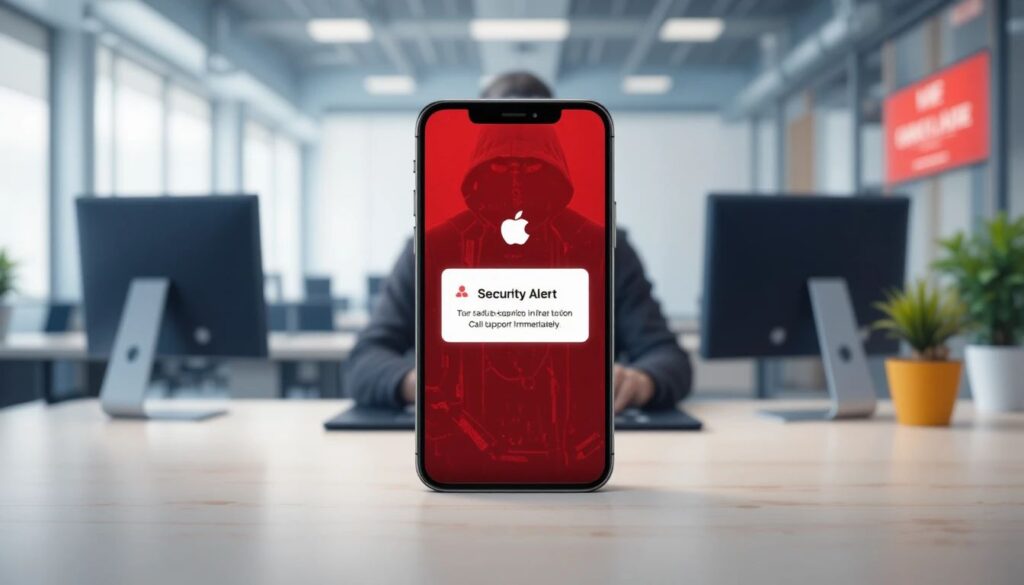
What Is a Fake Apple Support Scam:-
A fake Apple Support scam is a type of phishing or tech support fraud where criminals pretend to represent Apple. They try to convince victims that there is a serious problem with their Apple account or device.
The scam may appear in several forms, including:
- Fake popup warnings.
- Fraudulent text messages.
- Scam emails.
- Automated phone calls.
- Fake Apple Pay alerts.
- Browser security warnings.
These scams often claim things like:
- Your Apple ID has been locked.
- Suspicious activity detected.
- Your device is infected.
- Unauthorized Apple Pay transaction found.
- Call Apple Support immediately.
The message usually includes a phone number controlled by scammers. Once victims call, criminals attempt to steal personal information, passwords, banking details, or even direct payments.
Why These Scams Look So Convincing:-
One reason these scams are effective is because scammers carefully copy Apple’s branding and communication style. Many fake alerts include:
- Apple logos.
- Professional -looking layouts.
- Fake case numbers.
- Technical language.
- Urgent warnings.
- Official sounding messages.
Some scammers even spoof phone numbers so that incoming calls appear to come from Apple itself. This tactic makes the scam feel more believable to unsuspecting users.
In some cases, scammers manipulate search results or inject fake support numbers into legitimate webpages, making the fraud even harder to detect.
Common Types Of Fake Apple Security Alert Scams:-
Fake Browser Popups:-
This scam often starts while browsing certain websites. Suddenly, a loud popup appears saying your iPhone or Mac has been hacked.
The popup may freeze the browser and display messages such as:
- Critical Security Warning.
- Apple Security Breach Detected.
- Do Not Shut Down Your Device.
The alert usually asks users to call a support number immediately.
However, these warnings are fake. Apple does not display security alerts inside normal web browsers with phone numbers attached. Legitimate Apple alerts appear through official system notifications instead.
Fake Apple Support Text Messages:-
Another common scam involves text messages pretending to be from Apple Support or Apple Pay.
For example, victims may receive messages claiming:
- A suspicious Apple Pay purchase was detected.
- An iCloud login occurred from another country.
- An Apple Store transaction was blocked.
- Their Apple ID will be disabled soon.
These texts create urgency and pressure victims to call fake support numbers or click phishing links.
Fake Phone Calls from Apple Support:-
Some victims receive direct phone calls from scammers pretending to be Apple technicians.
The caller may claim:
- Your iCloud account was compromised.
- Someone accessed your Apple ID.
- Illegal activity was linked to your account.
- Your financial information is at risk.
The scammer may then request remote access to your computer or ask for passwords, verification codes, or banking information.
According to security experts, Apple does not make unsolicited support calls unless you specifically requested one.
Example Of an Apple Scam Victim:-
Recently, reports described how a woman lost around $24,000 after receiving a fake Apple security alert message. The scammers convinced her that her account was under attack and persuaded her to transfer money to a so called safe account. Unfortunately, the money was stolen.
This example shows how dangerous these scams can become when fear and urgency are used to manipulate victims.
How Scammers Pressure Victims:-
Fake Apple support scammers often use psychological tricks to make people panic and act quickly.
Common tactics include:
- Claiming your account will be permanently locked.
- Saying hackers are actively stealing your money.
- Warning that your identity is involved in crimes.
- Pressuring you to act within minutes.
- Threatening data loss.
Once victims become scared, scammers try to gain trust by sounding professional and confident.
Some even ask victims to install remote access software so they can fix the issue. In reality, this allows criminals to control the device and steal sensitive information.
Major Warning Signs of Fake Apple Support Scams:-
There are several red flags that can help identify these scams:
Apple Will Not Ask for Gift Cards:-
If someone claiming to be Apple asks for payment using gift cards, cryptocurrency, or wire transfers, it is a scam. Legitimate companies do not request such payment methods.
Suspicious Phone Numbers:-
Fake alerts often include random support numbers that are not connected to Apple.
Urgent Fear Based Messages:-
Scammers rely heavily on panic and urgency to stop victims from thinking carefully.
Requests for Passwords or Verification Codes:-
Apple will never ask for your password, one-time verification code, or full banking details through unsolicited calls or texts.
Poor Email Addresses or Fake Domains:-
Many phishing emails use suspicious domains instead of official Apple domains. Always check carefully before clicking links.
How To Protect Yourself From Apple Support Scams:-
Protecting yourself starts with staying calm and verifying information carefully.
Use Official Apple Channels Only:-
If you think there may be a problem with your account, contact Apple directly through the official website or official Apple Support app. Never call numbers shown in random popups or text messages.
Never Share Sensitive Information:-
Do not share:
- Passwords.
- Two-factor authentication codes.
- Banking details.
- Remote device access.
Avoid Clicking Suspicious Links:-
Instead of clicking links from emails or texts, manually visit Apple’s official website.
Enable Two-Factor :-
Using two-factor authentication adds another layer of security to your Apple account.
Keep Your Devices Updated:-
Software updates often include important security protections against phishing and malware attacks.
Final Thoughts:-
Fake Apple Support scams are becoming more advanced and convincing every year. Criminals use fear, urgency, fake alerts, spoofed phone numbers, and realistic looking messages to trick victims into handing over the money as well as the sensitive information.
The safest approach is to stay cautious whenever you receive unexpected warnings about your Apple account or device. Real Apple security alerts do not demand urgent phone calls, gift card payments, or password sharing.

De Roka (Suman Roka) is an online scam researcher and consumer protection advocate who has been investigating internet fraud since 2014. He is the founder of De-Reviews.com and former owner of NewsOnlineIncome.com, and works as an Anti-Scam Consultant with the Global Anti-Scam Alliance (GASA.org) and as a content partner with ScamAdviser.
His work focuses on exposing online scams and helping users stay safe from fraudulent websites and schemes. After personally experiencing online scams, he began researching suspicious platforms and sharing findings to protect others.
Today, De-Reviews.com operates as a team of researchers and editors dedicated to identifying scam patterns and educating the public about online threats. Learn more about the team and mission on our About Us page.


Leave a Reply